How to start Lagos Life
Begin at lagoslife.app, explore the public map, then choose Sign up or Log in. This guide covers the screens before you enter the game, including location prompts and the registration form.
Checked7 Oct 2026Before login
1. Open the official game
Go to lagoslife.app in your browser. The public page displays the Lagos Life city map, with Sign up and Log in controls. You do not need to download a file from this guide to reach that screen. If you arrived on a fan guide instead, use the official game link to continue.
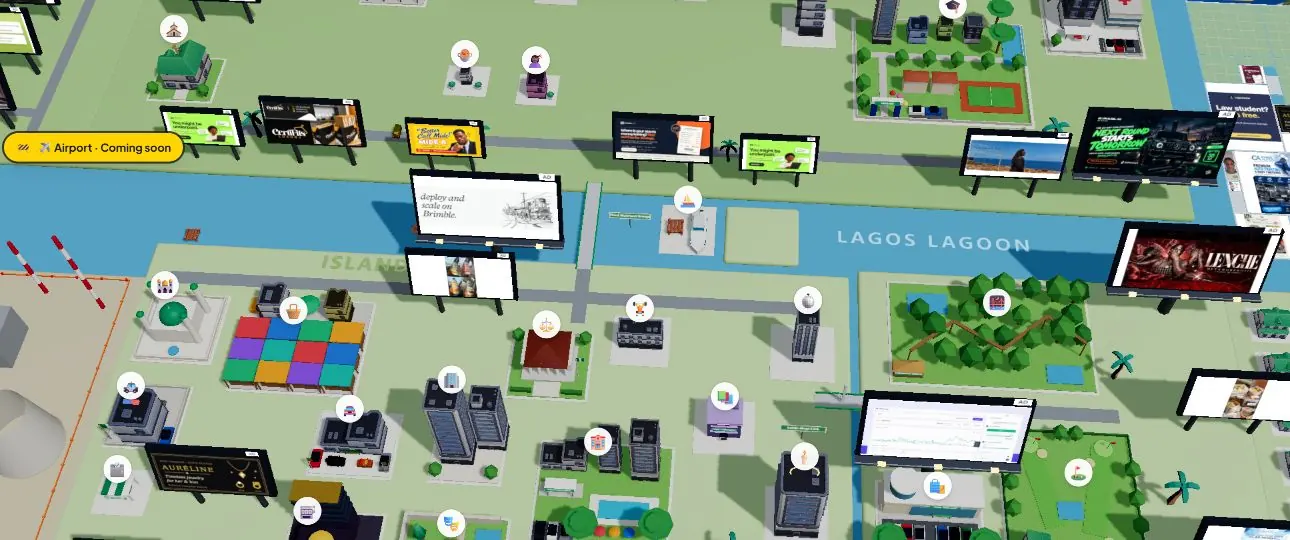
2. Choose a place on the map
Look for a named location such as Market, Office, or Quilox and select it. Before login, these three controls open destination prompts rather than a playable character scene. Market is named Balogun Market in its prompt; Office becomes Marina Towers. Each prompt offers Create your Lagosian or an option to log in with an existing account.
The location directory lists the 30 public map labels. Airport and Refinery are separate coming-soon entries. Seeing a marker is not the same as having access to its activities, so start with the instructions in the destination prompt rather than assuming every label is immediately playable.
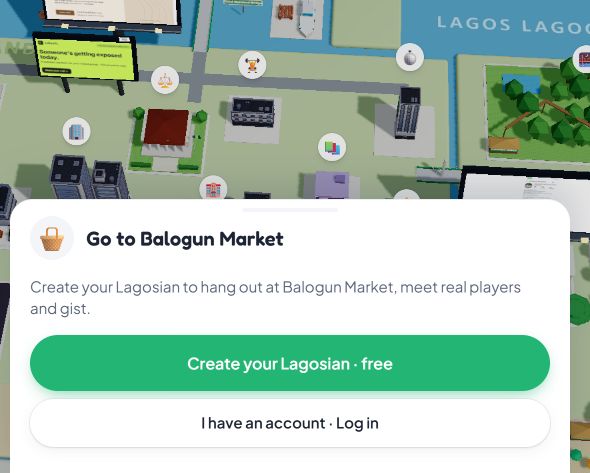
Your next step
New here, or returning?
Create your Lagosian takes a new player to registration. I have an account takes a returning player to login. Both options stay on the official game website.
3. Review the sign-up form
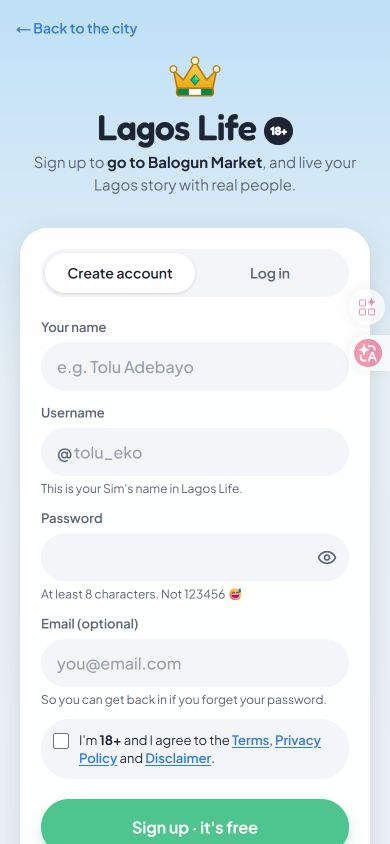
Select Sign up on the official page to see the registration screen. The form viewed on 7 October 2026 contains these fields:
- Your name: the name field at the top of the form.
- Username: described as your Sim's name in Lagos Life.
- Password: the visible guidance asks for at least eight characters.
- Email: marked optional, with a note about recovering access if you forget your password.
The form also asks you to confirm that you are 18 or older and agree to the linked Terms, Privacy Policy, and Disclaimer. Read those documents before deciding whether to register. The account guide explains visibility and account responsibilities. Returning players should choose Log in instead of making a second account.
Before spending Game Naira
The official page advertises free play, and its public map and registration form are accessible without a purchase. Optional top-ups are separate. Game Naira is virtual currency for the simulation, not a cash balance you can withdraw. Read the currency and purchase rules before paying for any units.
This walkthrough covers the public map and registration screens, not signed-in gameplay. Screenshots show the official site on 7 October 2026.
Questions
Do you need an account to see the map?
No account was needed to view the public map on 7 October 2026. The Market, Office, and Quilox prompts then offered sign-up or login to continue.
Why does a location ask me to create a Lagosian?
That is the signed-out entry prompt. The tested locations offer account creation for new players and login for returning players. It is not a separate app download.
Do you have to pay to start?
The homepage said play free in the browser, and the public map loaded without a purchase in our session. The terms allow optional purchases of Game Naira.
Sources. lagoslife.app: map, Market, Office, Quilox, and sign-up form, viewed 7 October 2026. Terms of Use, sections 2, 3, 5, and 6. No account was submitted.